New chat
The first screen is a new chat personalized to you and the active project. Suggested prompts match that project’s data — competitors, topics, and scores — so you can start a real workflow in one click.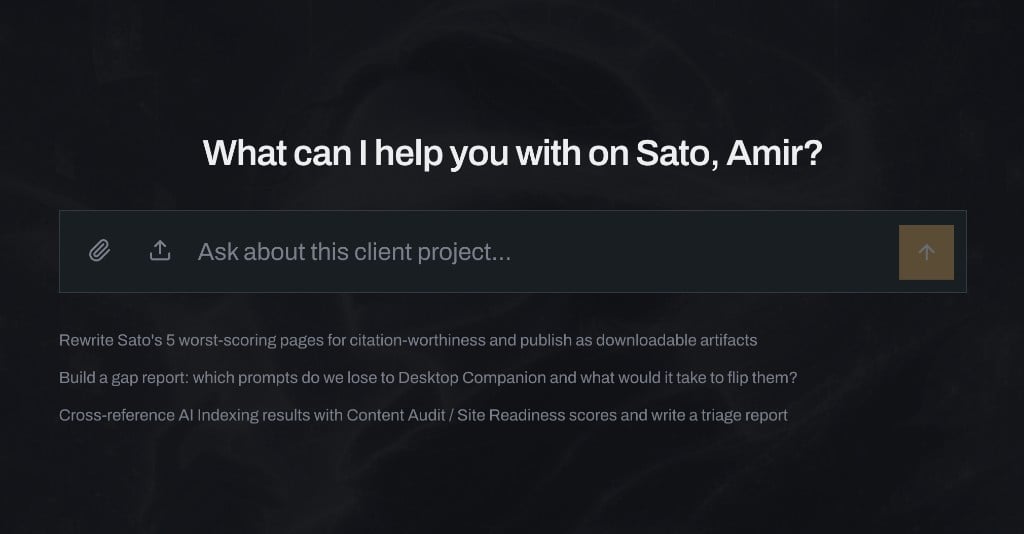
New chat: personalized to you and the open project, with suggested workflows.
What it knows about you
The agent is personalized to the signed-in user and the active project. It works from that project’s brands, competitors, topics, prompts, runs, and analytics — not a generic blank chat. When Google Search Console and GA4 are connected for the project, it can analyze that data too: search queries, landing pages, traffic, and how those signals line up with AI visibility. Ask it about your visibility, gaps vs a competitor, topic movers, citation patterns, what a recent run changed, or how organic search and site traffic relate to the AI picture. Answers come from the same OpenLens data the dashboard shows, plus GSC and GA4 when linked.Workspace and artifacts
Each project has its own agent workspace. Files the agent creates — reports, presentations, rewritten pages, triage docs — land there as artifacts you can reopen, download, or reuse in later turns. Artifacts belong to the project, not to a one-off chat. Come back later and the workspace is still there.File upload and document generation
Upload files into the conversation when you want the agent to work from your material (briefs, drafts, exports) alongside OpenLens data. Ask it to generate documents and presentations from your visibility results — client-ready writeups, gap reports, page rewrites, triage notes — and save them as downloadable artifacts in the project workspace.Runs, prompts, and the full workflow
The agent can drive the same loop you run from the UI:- Generate and edit prompts for the project’s topics (and attributes), so the prompt set matches the questions you care about.
- Kick off runs against your active platforms when you want fresh measurements.
- Analyze the results — visibility, share of voice, citations, platform gaps — and turn that into charts, tables, or documents.
What it can do in OpenLens
Beyond runs and prompts, the agent has the same product surface you use in the UI: dig into topics and citations, cross-check AI Indexing with Content Audit or Site Readiness, analyze connected GSC and GA4 data, manage workstreams, and other project tasks it can perform on your behalf. It does the work in the chat so you don’t have to click through every surface yourself. Destructive or high-impact writes still go through the same project permissions you already have.Charts, tables, and specialized tools
Beyond the shared OpenLens capabilities, the agent has its own tools for artifact creation and data visualization. It can render charts, graphs, and tables in the conversation so you can see trends and brand metrics without leaving the thread — visibility over time, competitor share, platform gaps, prompt movers, and similar views. Use that when you want a quick visual read; use document generation when you need something portable for a client or teammate.Example: prompt-gap table
Ask for a gap report against a competitor and the agent can build a structured table: which prompts you lose on, where each brand shows up across platforms, the size of the gap, and what it would take to flip the result.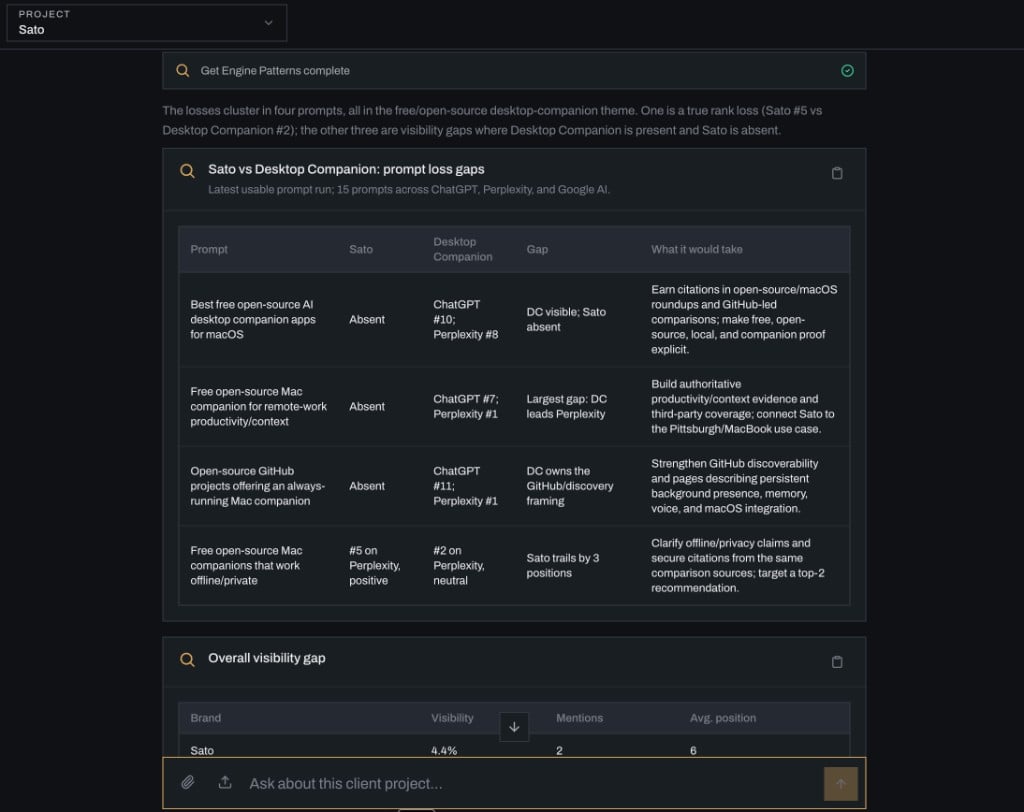
Agent-generated table: prompt-level gaps between a brand and its main competitor.
How to use it
- Open a project, open the agent, ask a concrete question (“Where do we lose to [competitor] on branded prompts?”).
- Or click a suggested prompt on the new-chat screen to start a full workflow.
- Ask it to generate prompts and kick off a run when the set is ready.
- Upload a brief when you want the answer shaped for a specific audience.
- Ask for a chart or table when you’re exploring; ask for an artifact when you’re shipping.
- Keep one thread per initiative if you want the workspace to stay focused.
Related
- Dashboard — the numbers the agent reads.
- Site Readiness Performance — connect GSC and GA4 for the agent to analyze.
- Onboarding — first-time prompt generation and Review & Run outside the agent.
- Reports — on-demand PDF snapshots (separate from agent-generated artifacts).
- MCP server — drive OpenLens from an external agent instead of the in-app one.